📝 Taking notes is simple. Finding the right note-taking app isn't.
There are now dozens of apps designed to help you capture ideas, organize information, manage projects, and build your own knowledge base.
Four of the most interesting options are Notion, Obsidian, Apple Notes, and Capacities. They all do the basics well, but each one approaches note-taking differently.
So, which one should you actually use?
Let's keep it simple.
Notion is probably the most flexible option of the four.
You can use it for simple notes, but you can also build project trackers, databases, documentation, content calendars, and pretty much any workspace you can imagine.
Best for: People who want notes, projects, databases, and collaboration in one place.
What makes it good:
One thing to consider: That flexibility can sometimes make Notion feel like too much when you just want to write down a quick note.
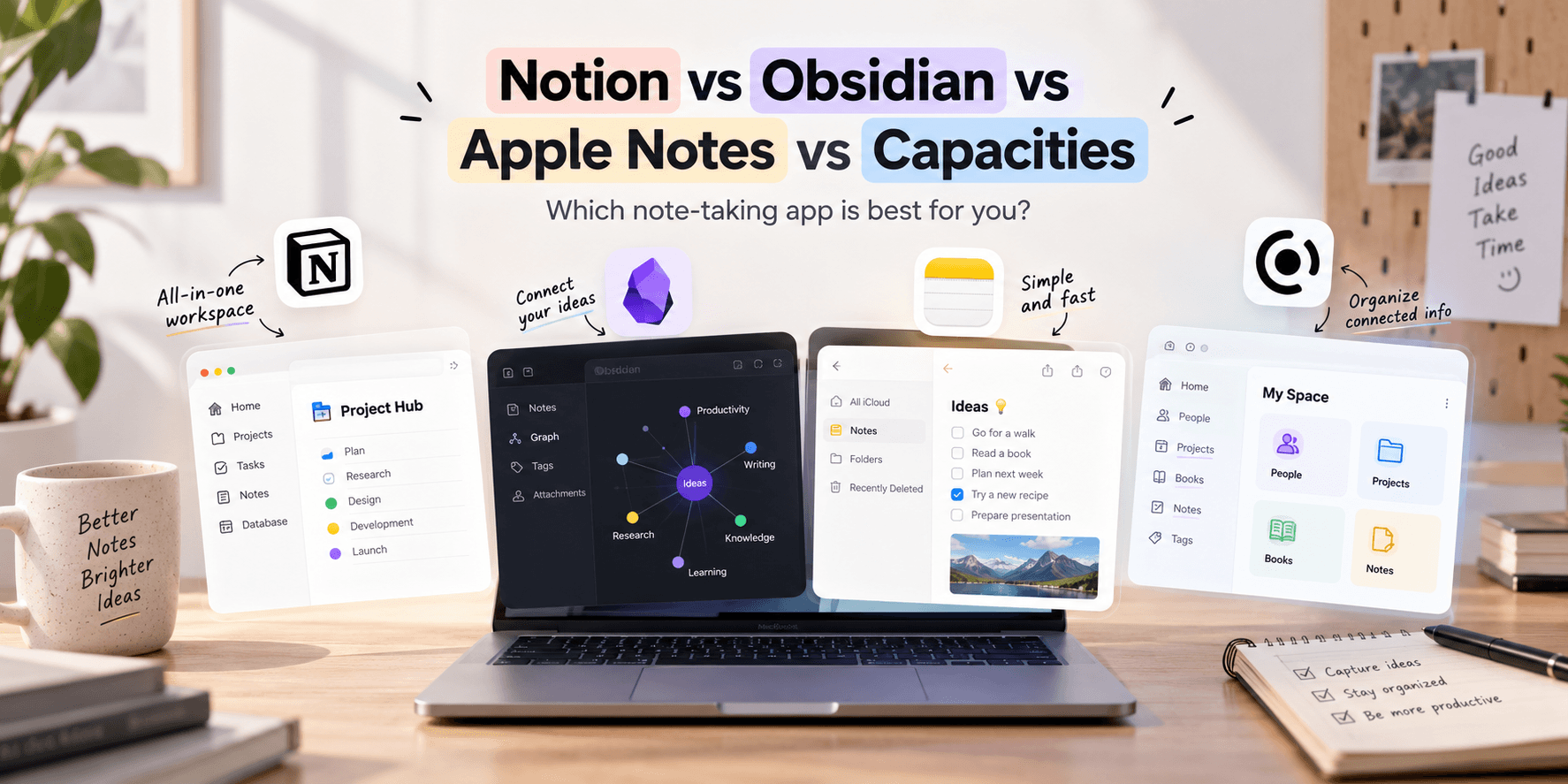
Obsidian is built around one simple idea: your notes should connect to each other.
Instead of keeping everything in separate folders, you can link ideas together and gradually build a personal knowledge base.
It's especially interesting for writers, researchers, developers, and anyone who likes connecting ideas.
Best for: Building a long-term personal knowledge base.
What makes it good:
One thing to consider: Obsidian has a bit of a learning curve. You'll get more out of it once you spend some time setting it up.
Apple Notes takes the opposite approach.
It's simple, fast, and already available on your Apple devices. You can write a note, scan a document, make a checklist, add a photo, or jot down an idea without thinking too much about organization.
And honestly, that's the biggest advantage.
Best for: People who want quick, reliable everyday notes.
What makes it good:
One thing to consider: It doesn't offer the same level of customization and advanced knowledge management as Notion or Obsidian.
Capacities takes an interesting middle ground.
Rather than treating everything as just another page, Capacities lets you organize information as different types of objects, such as people, books, projects, and notes.
This makes it particularly useful if you want your information to feel connected without spending hours building your own database system.
Best for: People who want a structured personal knowledge system.
What makes it good:
One thing to consider: If all you need is a place to write quick notes, Capacities may be more than you need.
Here's a quick side-by-side look at how they compare.
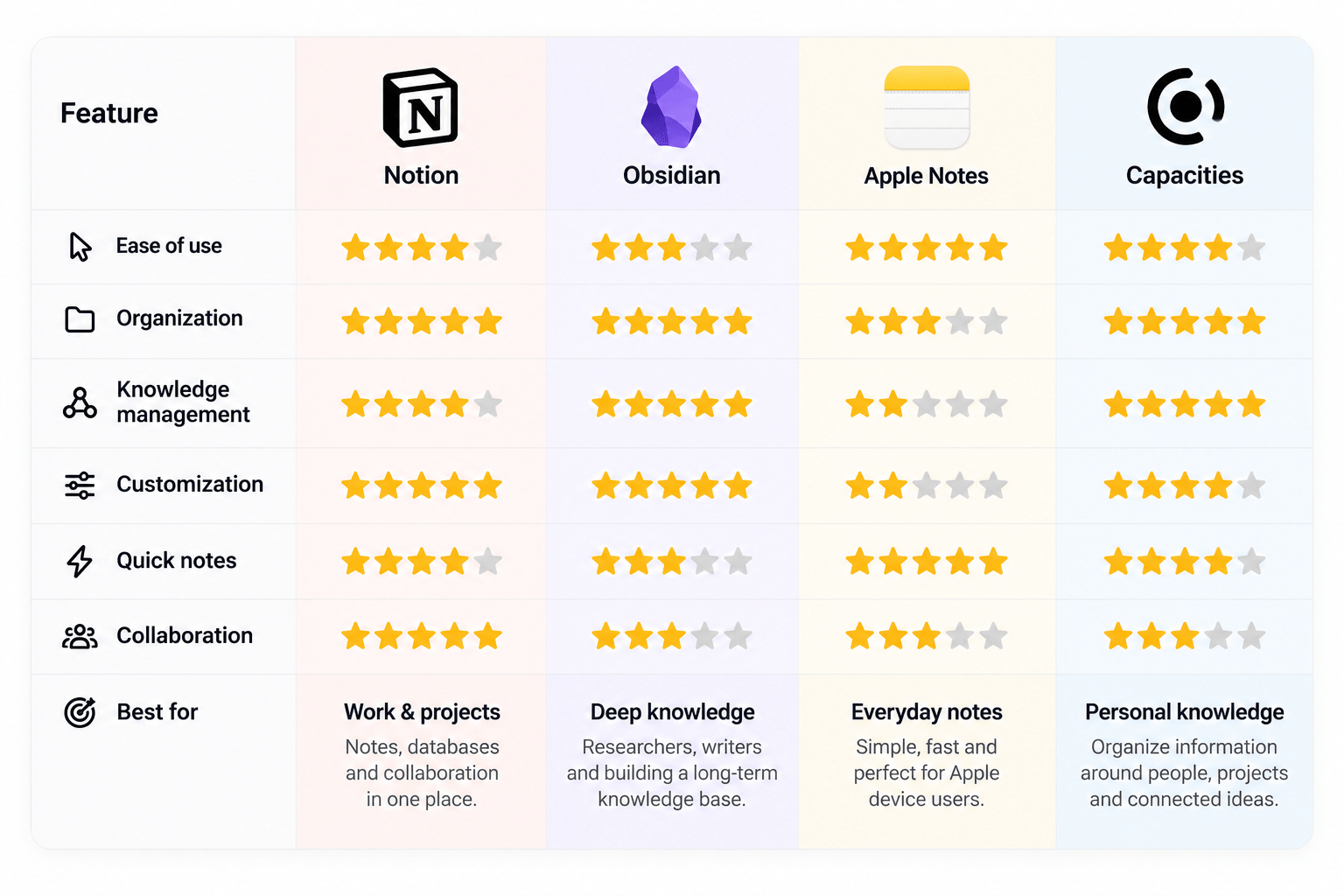
There isn't one winner for everyone. It really depends on what you want from your notes.
🗂️ Choose Notion if you want an all-in-one workspace for notes, projects, databases, and collaboration.
🧠 Choose Obsidian if you enjoy connecting ideas and want to build a personal knowledge base that grows over time.
⚡ Choose Apple Notes if you want something simple, fast, and deeply integrated with your Apple devices.
🔗 Choose Capacities if you like organizing information around people, projects, books, and other connected objects.
The best note-taking app isn't necessarily the one with the longest feature list.
It's the one you'll actually enjoy using.
For an all-in-one workspace, Notion is a great choice. For deep personal knowledge management, Obsidian stands out. If you just want to quickly capture something, Apple Notes is hard to beat. And if you want a more structured way to connect your information, Capacities is worth trying.
The best system is ultimately the one that helps you capture information quickly and find it when you need it.

Get in touch to personalise your website with custom features and enhanced functionality.

250+ components. Zero fluff. Just clean webflow elements to help you build better websites faster.