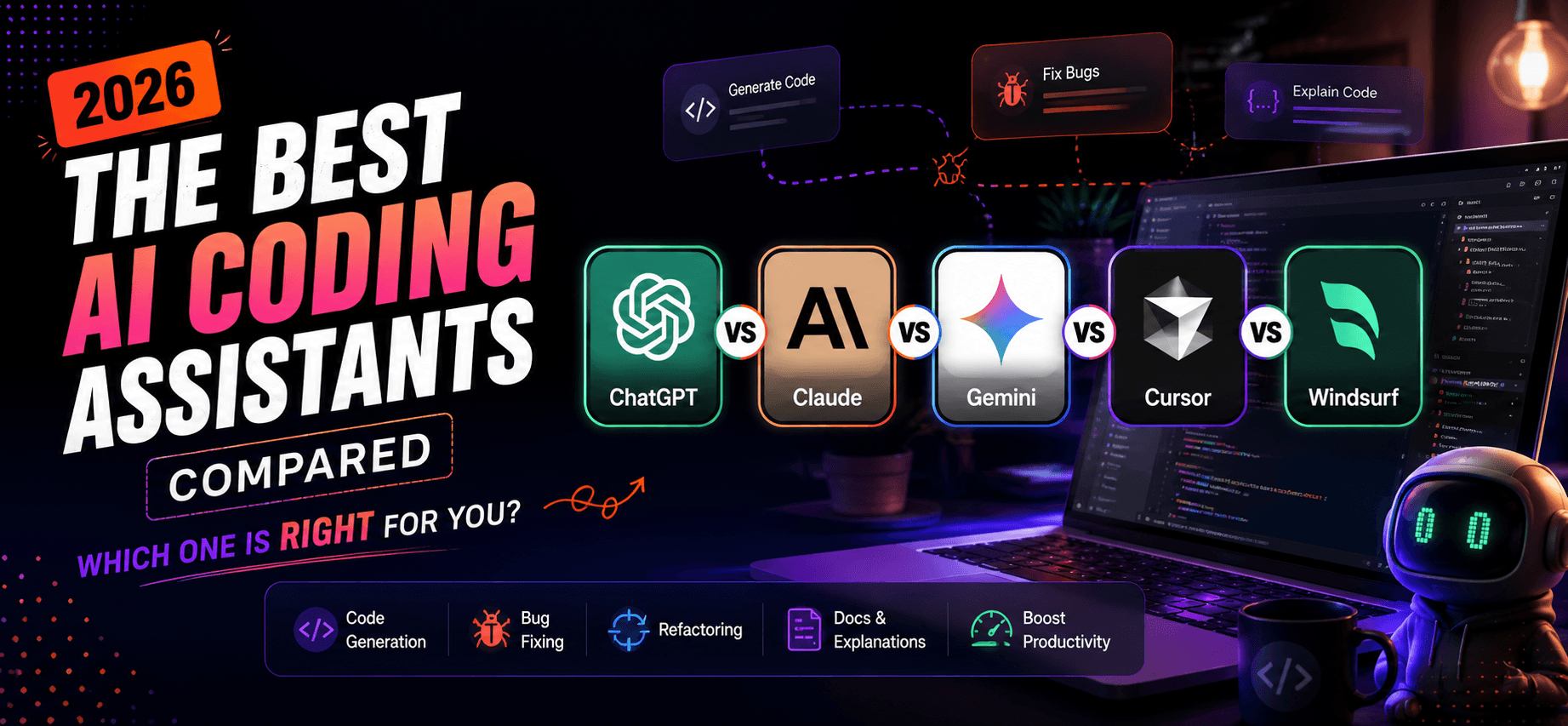
In this guide, we compare five of the most popular AI coding assistants: ChatGPT, Claude, Gemini, Cursor, and Windsurf. We'll cover their strengths, weaknesses, pricing, and which one is best for different types of users.
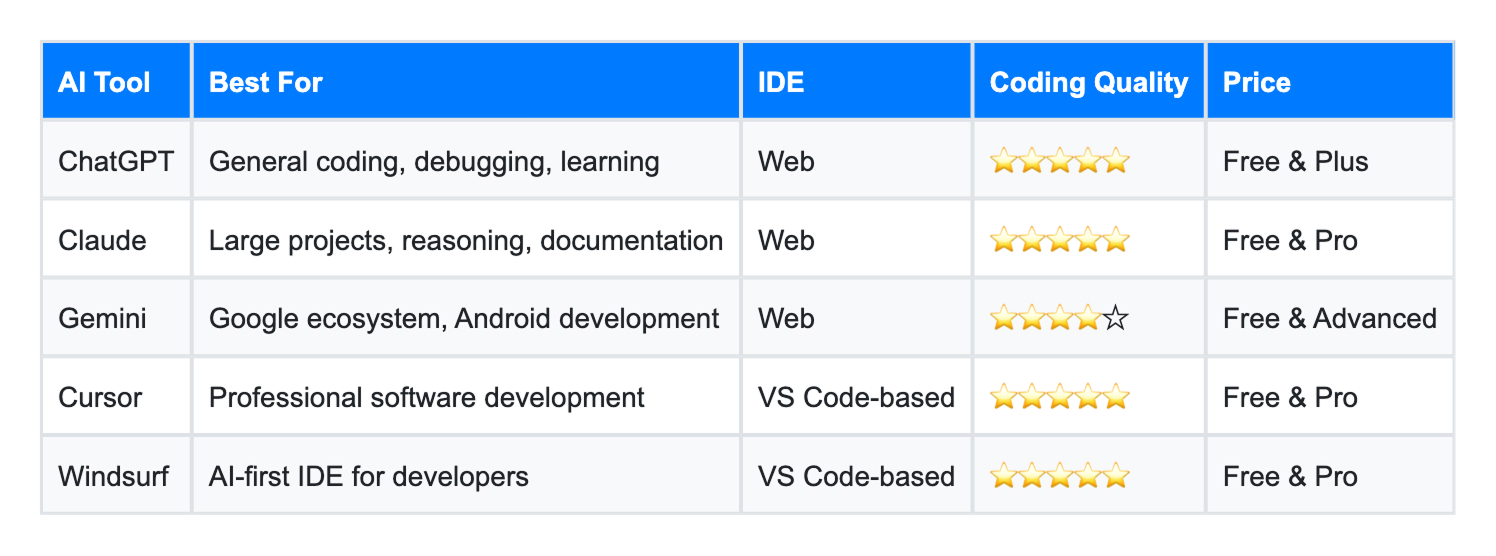
Best For
ChatGPT remains one of the most versatile coding assistants available. It can generate complete applications, explain complex programming concepts, convert code between languages, and even help optimize existing projects.
Its conversational interface makes it especially useful for beginners who want to understand why code works instead of simply generating it.
Pros
✔ Excellent code explanations
✔ Supports almost every programming language
✔ Great debugging assistant
✔ Generates documentation
✔ Strong community support
Cons
✖ Not integrated directly into your IDE by default
✖ Large projects sometimes require multiple prompts
Best For
Claude has become a favorite among experienced developers because of its ability to understand massive codebases in a single conversation.
Instead of working file by file, Claude can analyze entire repositories, making it ideal for enterprise software and large applications.
Pros
✔ Excellent reasoning
✔ Handles huge codebases
✔ Writes clean code
✔ Great documentation generation
✔ Strong at code reviews
Cons
✖ Doesn't offer an AI-first IDE
✖ Less automation than Cursor
Best For
Gemini integrates deeply with Google's ecosystem. Developers building Android apps or using Google Cloud services will benefit the most.
Its code generation has improved significantly throughout 2026.
Pros
✔ Excellent Google integration
✔ Fast responses
✔ Great for Android developers
✔ Works well with Google Workspace
Cons
✖ Coding quality can be inconsistent
✖ Less popular among professional developers
Best For
Cursor isn't just another chatbot.
It's a complete AI-powered code editor built on VS Code that understands your entire project.
Instead of copying code between a browser and your IDE, Cursor edits files directly, creates components, fixes bugs, and can even refactor multiple files simultaneously.
Many developers now use Cursor as their primary IDE.
Pros
✔ Deep project awareness
✔ Fast autocomplete
✔ AI edits entire files
✔ Excellent debugging
✔ Huge productivity boost
Cons
✖ Paid plan recommended
✖ Learning curve for new users
Best For
Windsurf has quickly become one of the fastest-growing AI coding tools.
Unlike traditional assistants, Windsurf behaves more like an autonomous coding partner. It understands project context, modifies multiple files, runs commands, and completes development tasks with minimal supervision.
If you're looking for an AI-first development experience, Windsurf is one of the strongest options available.
Pros
✔ Excellent autonomous workflows
✔ Fast code generation
✔ Great UI
✔ Strong project understanding
✔ AI agents save time
Cons
✖ Smaller community than Cursor
✖ Still evolving rapidly
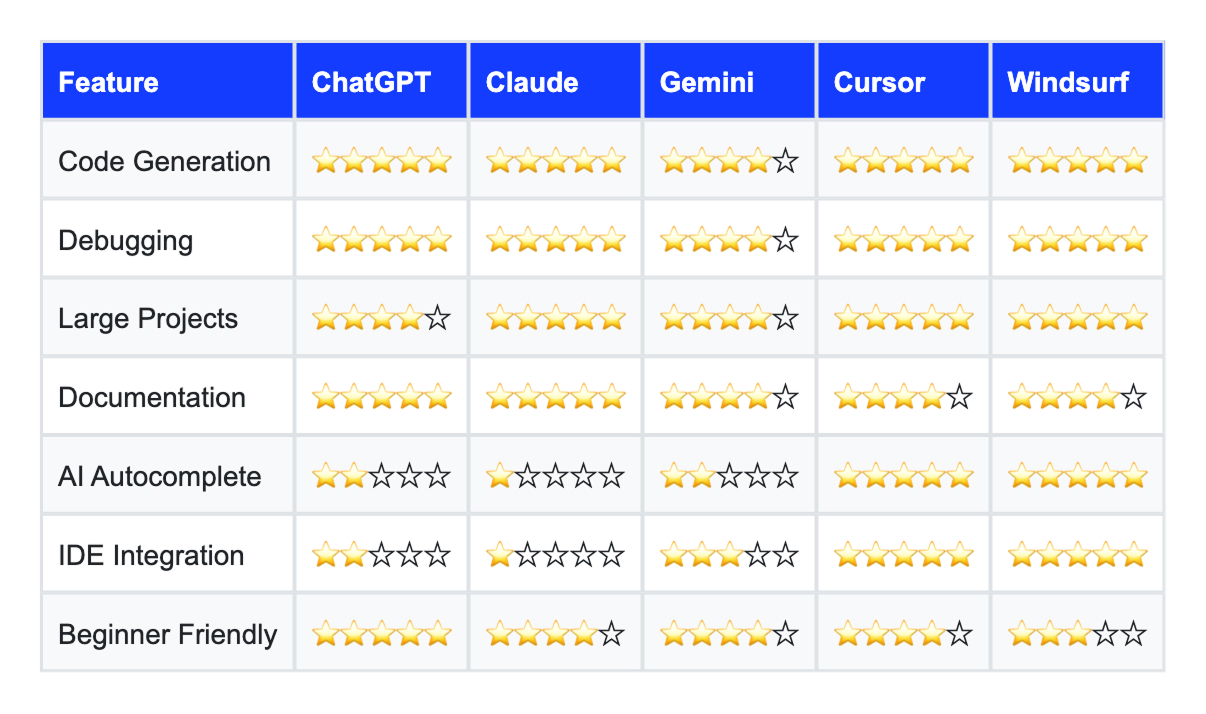
Each AI coding assistant has its own strengths, but there's no single "best" tool for everyone.
If you're a web designer or Webflow developer exploring code, ChatGPT and Claude are excellent companions for learning and solving problems. If you're building full-stack applications every day, Cursor or Windsurf can significantly speed up your workflow by bringing AI directly into your editor.
As AI continues to evolve, these tools are becoming less like autocomplete assistants and more like collaborative coding partners. Choosing the right one depends on your workflow, programming language, and development environment.

Get in touch to personalise your website with custom features and enhanced functionality.

250+ components. Zero fluff. Just clean webflow elements to help you build better websites faster.